---
title: How do I reposition the part approval buttons column?
description: how to move the part approval button
---
[Skip to content](https://help.getboltwise.com/en/boltwise-helpcenter/can-i-reposition-the-part-approval-button#main-content)
English
Show submenu for translations
[](https://app.getboltwise.com)
Open main navigation
Close main navigation
- English
Show submenu for translations
- [Contact us](mailto:support@getboltwise.com)
[Contact us](mailto:support@getboltwise.com)
How can we help you?
- There are no suggestions because the search field is empty.
1. [BoltWise Help Center](https://help.getboltwise.com/en/boltwise-helpcenter?hsLang=en)
2. [FAQs](https://help.getboltwise.com/en/boltwise-helpcenter/faqs?hsLang=en)
# How do I reposition the part approval buttons column?
From any quote or PO, click on the columns settings icon. In the menu that opens, scroll to "Approval actions position," and select "Pin to description column" to move the approval buttons to sit next to descriptions. BoltWise will save your preference for future quotes and POs.
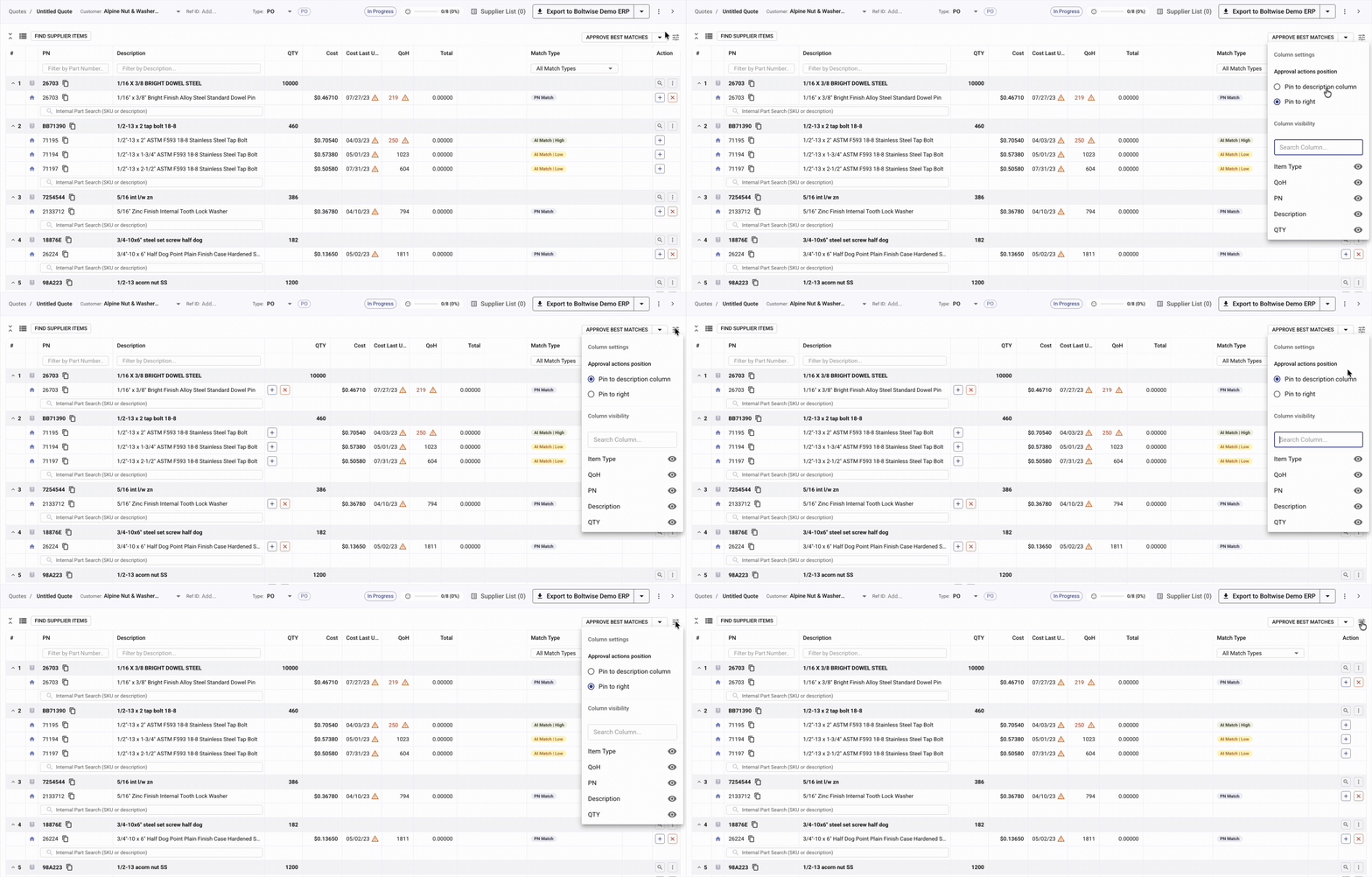
Want to switch it back? From any quote or PO, click on the columns settings icon. In the menu that opens, scroll to "Approval actions position," and select "Pin to right" to move the approval buttons to the rightmost column. BoltWise will save your preference for future quotes and POs.
- [FAQs](https://help.getboltwise.com/en/boltwise-helpcenter/faqs?hsLang=en)
- [Getting started](https://help.getboltwise.com/en/boltwise-helpcenter/getting-started?hsLang=en)
- [Quoting](https://help.getboltwise.com/en/boltwise-helpcenter/quoting?hsLang=en)
[](https://app.getboltwise.com)
[mailto:support@getboltwise.com](mailto:support@getboltwise.com)
Copyright © 2026, BoltWise