---
title: Finding Additional Parts
description: Finding Additional Parts
---
[Skip to content](https://help.getboltwise.com/en/boltwise-helpcenter/finding-additional-parts#main-content)
English
Show submenu for translations
[](https://app.getboltwise.com)
Open main navigation
Close main navigation
- English
Show submenu for translations
- [Contact us](mailto:support@getboltwise.com)
[Contact us](mailto:support@getboltwise.com)
How can we help you?
- There are no suggestions because the search field is empty.
1. [BoltWise Help Center](https://help.getboltwise.com/en/boltwise-helpcenter?hsLang=en)
2. [Quoting](https://help.getboltwise.com/en/boltwise-helpcenter/quoting?hsLang=en)
# Finding Additional Parts
**How to find catalog parts that weren't included in suggestions**
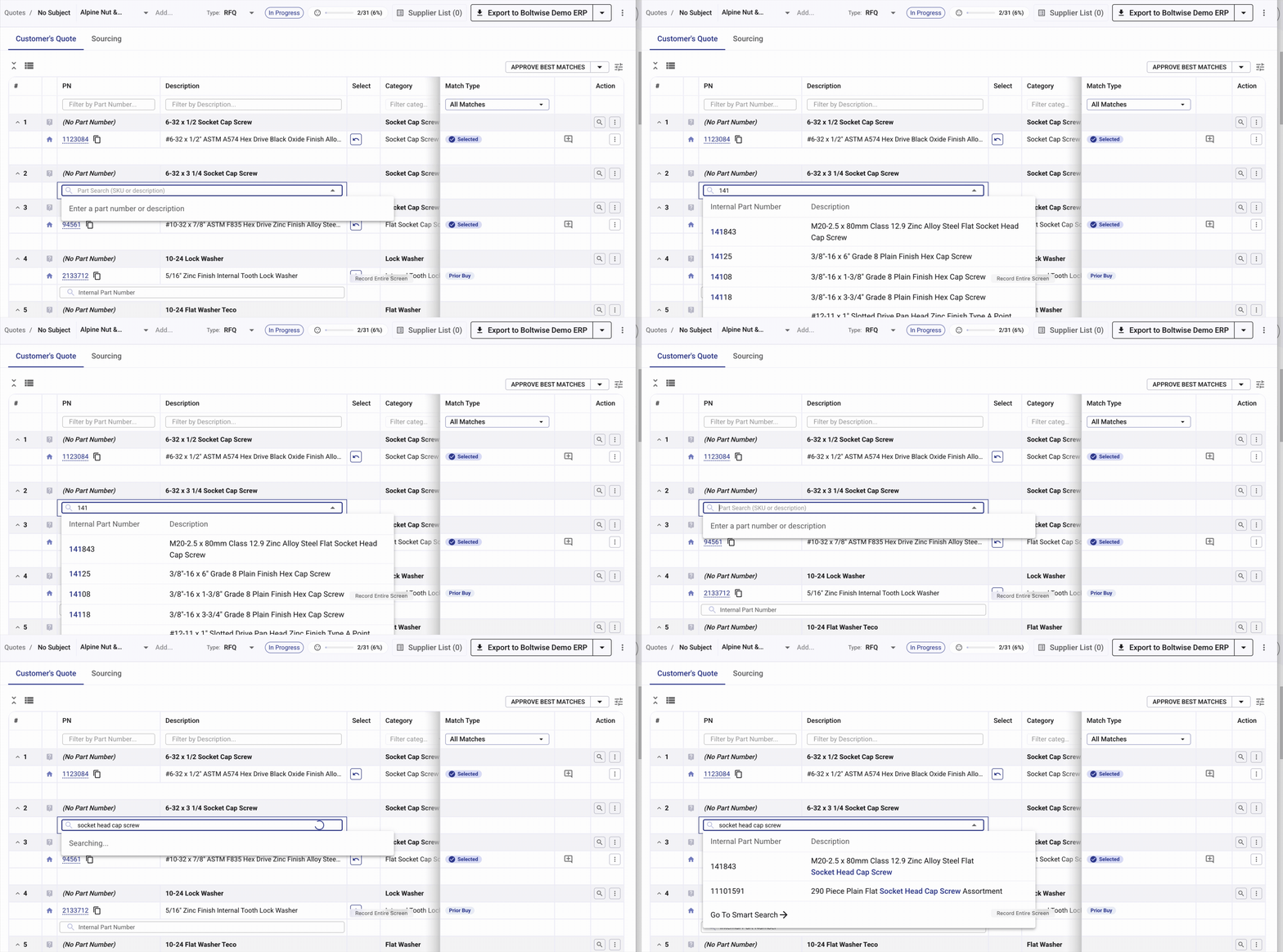
- Search for catalog parts with a SKU or desired specs like material or grade. Start typing into the internal part number search field, just below the suggested parts list, to find parts in your catalog.
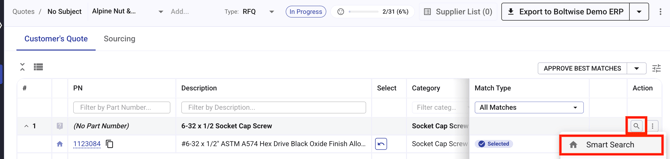
- See BoltWise's full list of match suggestions for a part by clicking the spyglass icon 🔍 to the right hand side of the quote line. A menu will pop up; click Smart Search to run the search.
- [FAQs](https://help.getboltwise.com/en/boltwise-helpcenter/faqs?hsLang=en)
- [Getting started](https://help.getboltwise.com/en/boltwise-helpcenter/getting-started?hsLang=en)
- [Quoting](https://help.getboltwise.com/en/boltwise-helpcenter/quoting?hsLang=en)
[](https://app.getboltwise.com)
[mailto:support@getboltwise.com](mailto:support@getboltwise.com)
Copyright © 2026, BoltWise