
BoltWise will automatically return matches for part numbers it recognizes in your customer's request. Part number matches (denoted by the "PN Match" badge) will be returned in the following instances:
- Your Internal Catalog Part: If your customer is purchasing off your internal catalog part
- Customer Alternate Part (Cross-Reference): If your customer is buying off of their own catalog part number that you have mapped as an alternate in your system
- Vendor Part (Cross-Reference): If your customer is purchasing off a known industry part number (such as Fastenal, McMaster-Carr, BBI, etc.) that you have mapped to your internal catalog part
BoltWise can create new cross-references for parts in your catalog. When exporting a quote, BoltWise will ask if you want to save any new part associations (for customer alternate part numbers or vendor part numbers that weren't pre-mapped to your internal catalog parts). You will have the option to save new associations as customer cross-references or vendor cross-references.
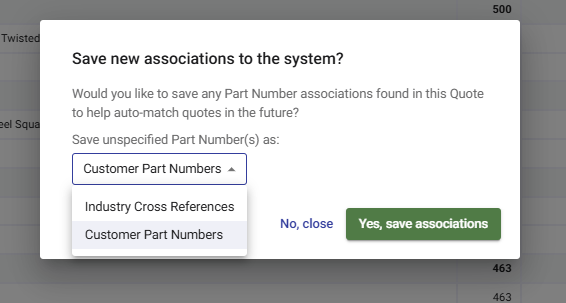
Note that customer cross-references will only appear when working on a quote for that specific customer, and vendor cross-references will appear across all customers.